Step 1: Go to: https://epaymentportal.landbank.com/
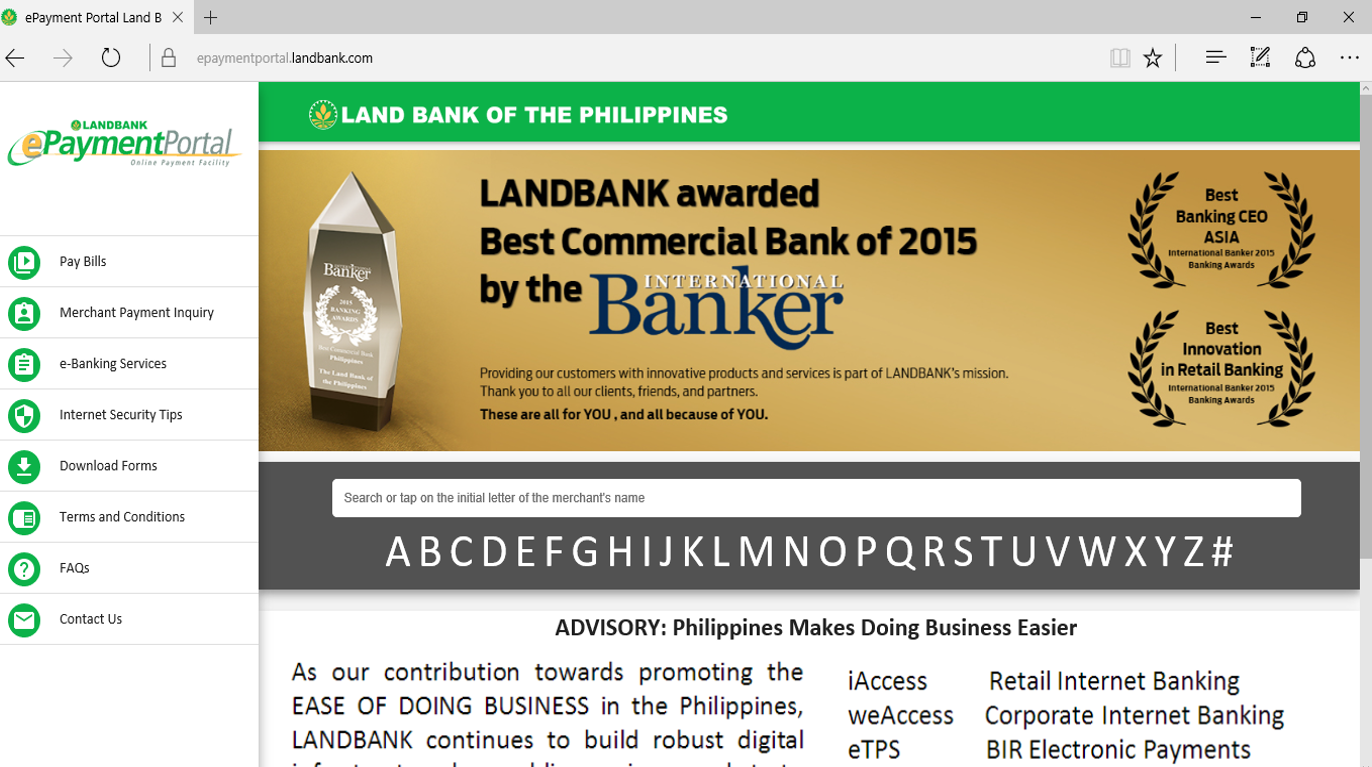
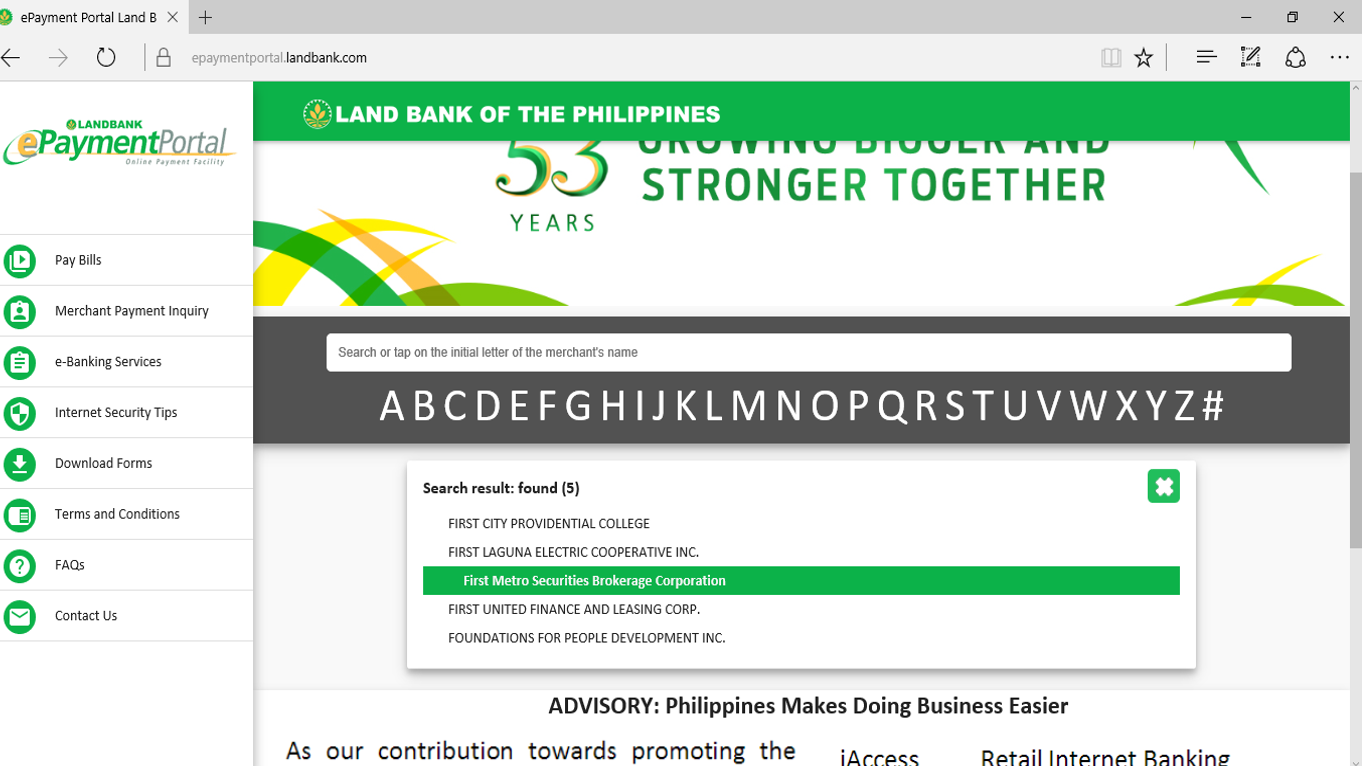
Step 2: Click “F” and scroll down to First Metro Securities Brokerage Corp.”
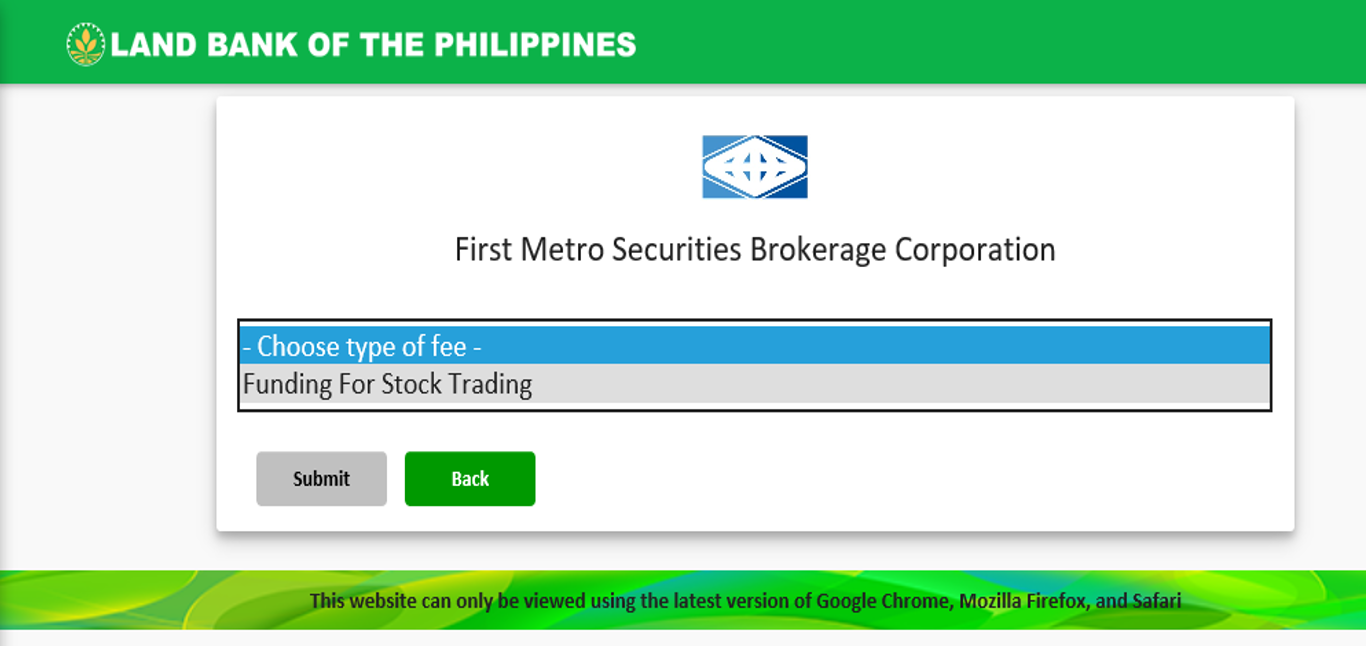
Step 3: Drop down to “Funding For Stock Trading”. Then, Submit.
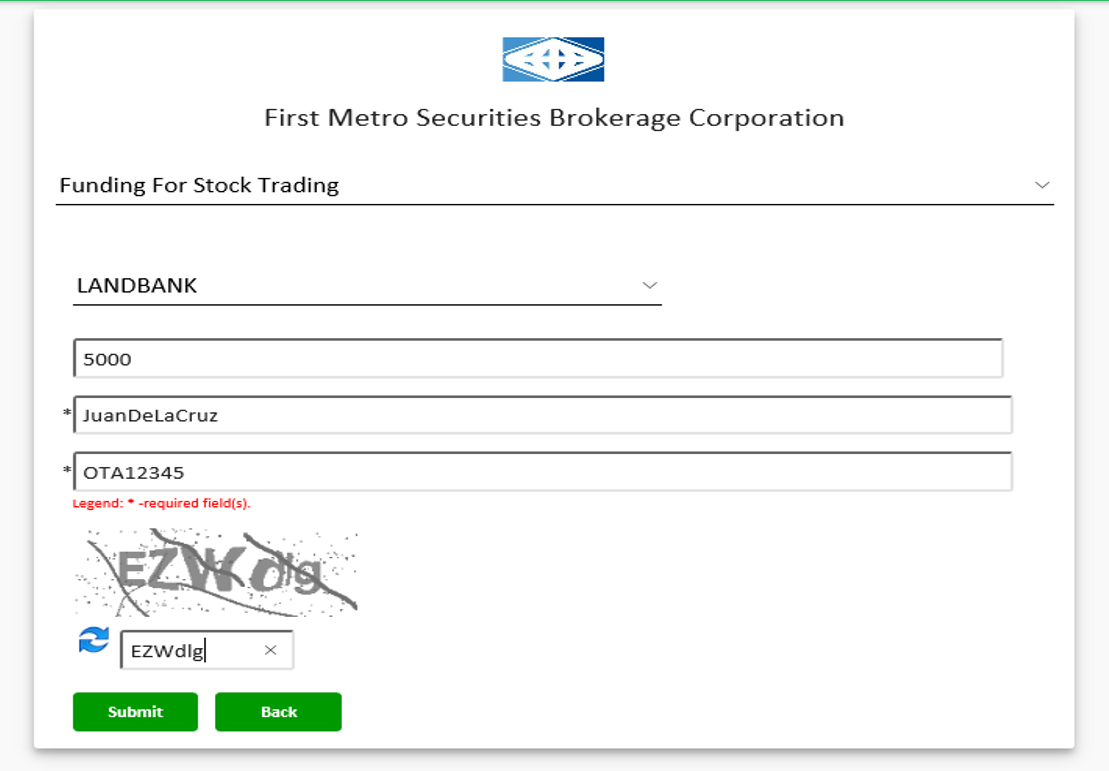
Step 4: Input Amount, FirstMetroSec Account Name, and Account Code (ex. OTAxxxxx). Enter Captcha
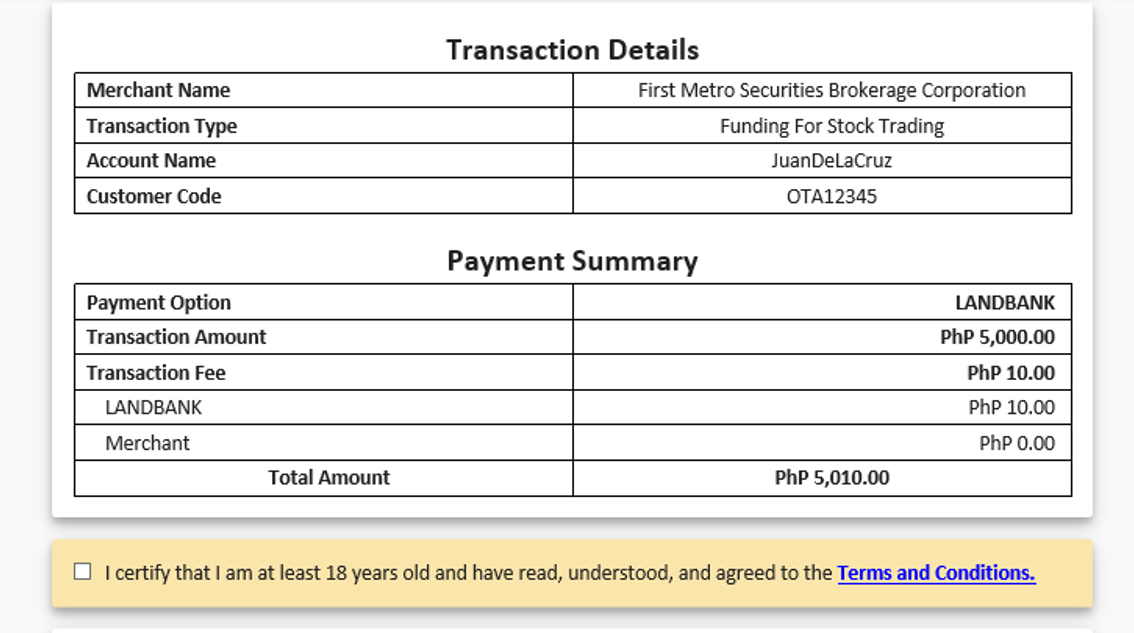
Step 5: Review the details and payment summary. Agree to the Terms and Conditions
Note: Landbank charges P10 per transaction (part of the payment amount)
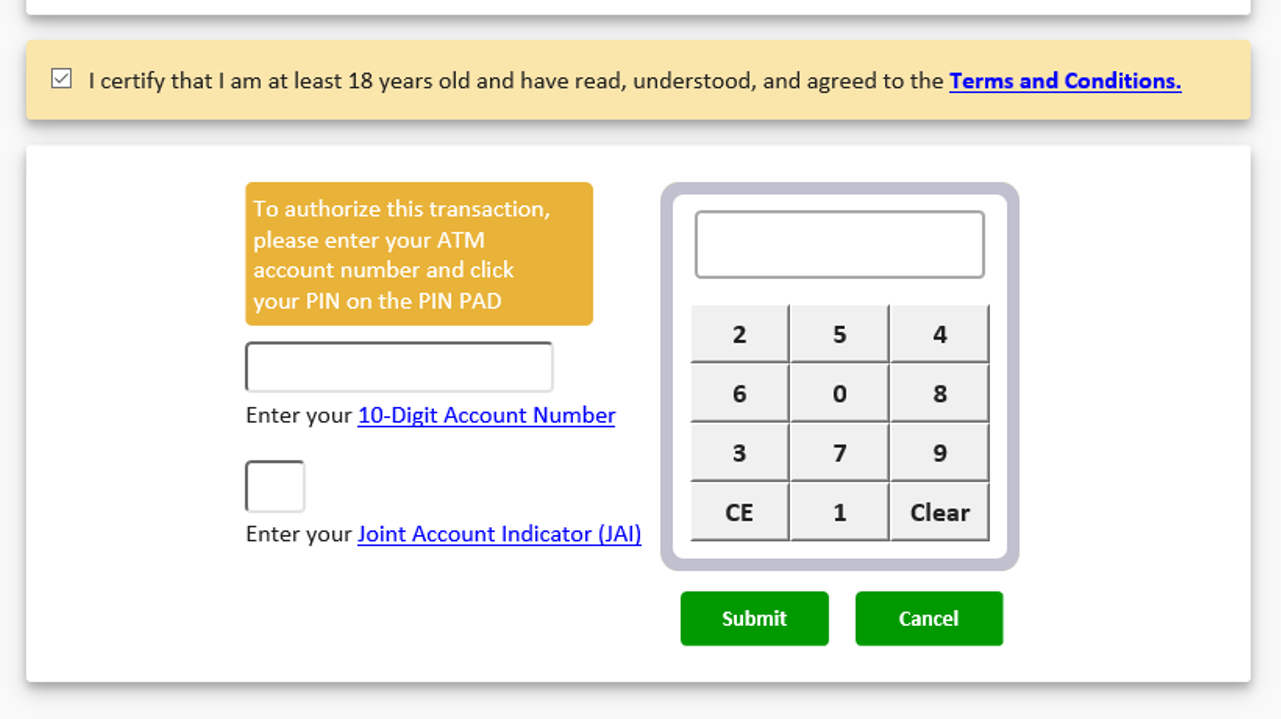
Step 6: Input your Landbank Account Number, JAI, and PIN (on the pin pad).
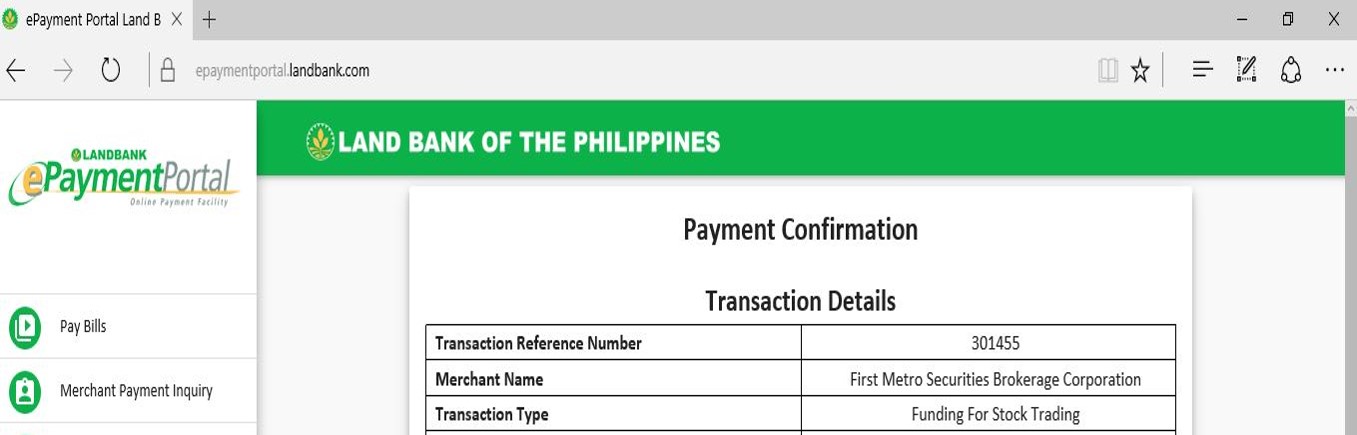
Step 7: Wait for payment confirmation
Disclaimer: Kindly transfer funds within trading hours (9:00AM-1PM) so that it will be reflected in your FirstMetroSec account within the day. Funds transferred beyond trading hours will be processed the following business day.